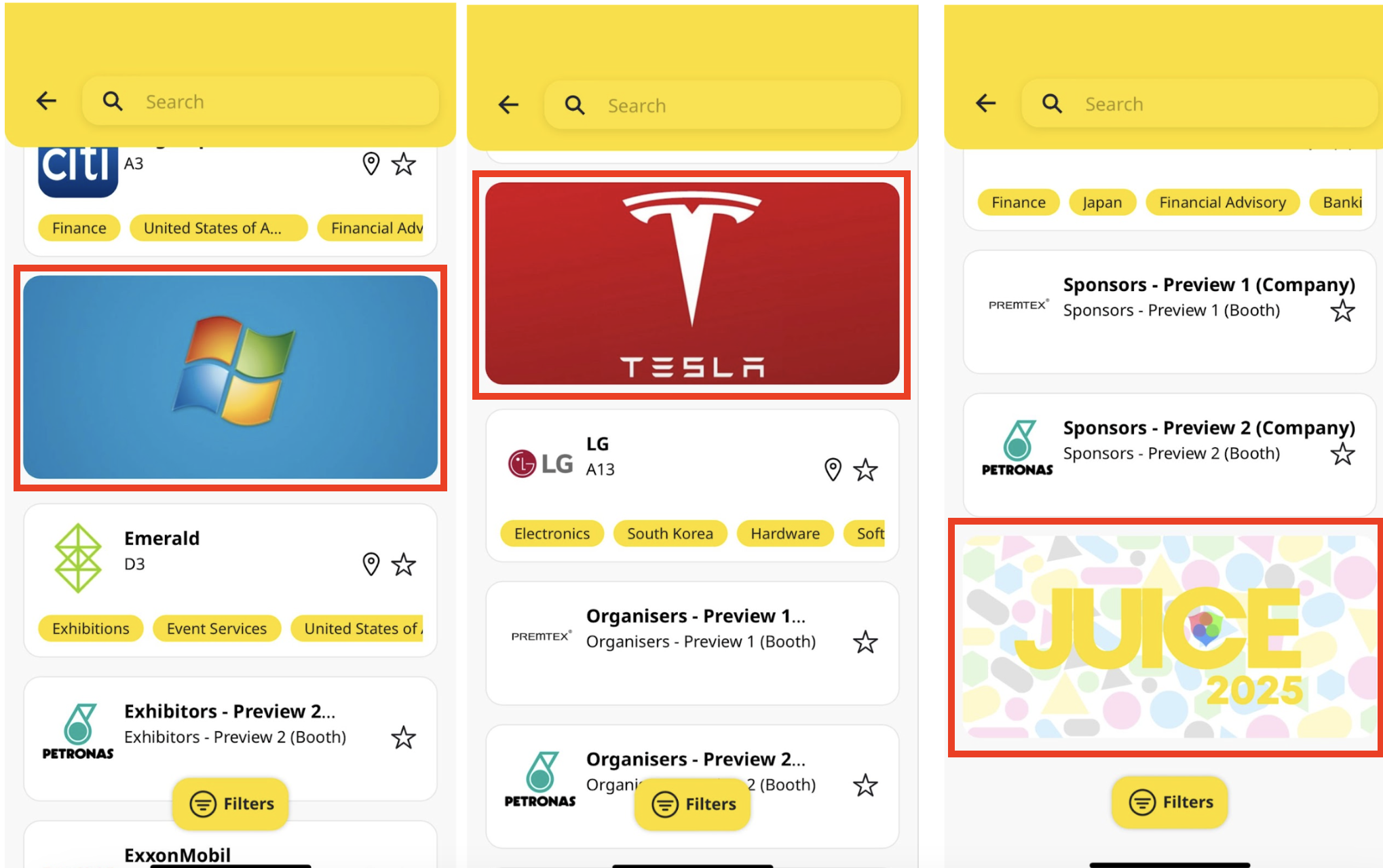
Sponsor Ads
Enhance the visibility of your brand, sessions, and event sponsors with Sponsor Ads – a dynamic tool meticulously crafted for optimal exposure. Jublia provides an impressive selection of 10 rotating header banners and 10 in-between banners, offering generous space for your sponsors to captivate their audience.
Web App
To start uploading your banners, simply follow the steps below:
Go to Manage > Web App Hub
Choose Event Details
Click Sponsor Ads
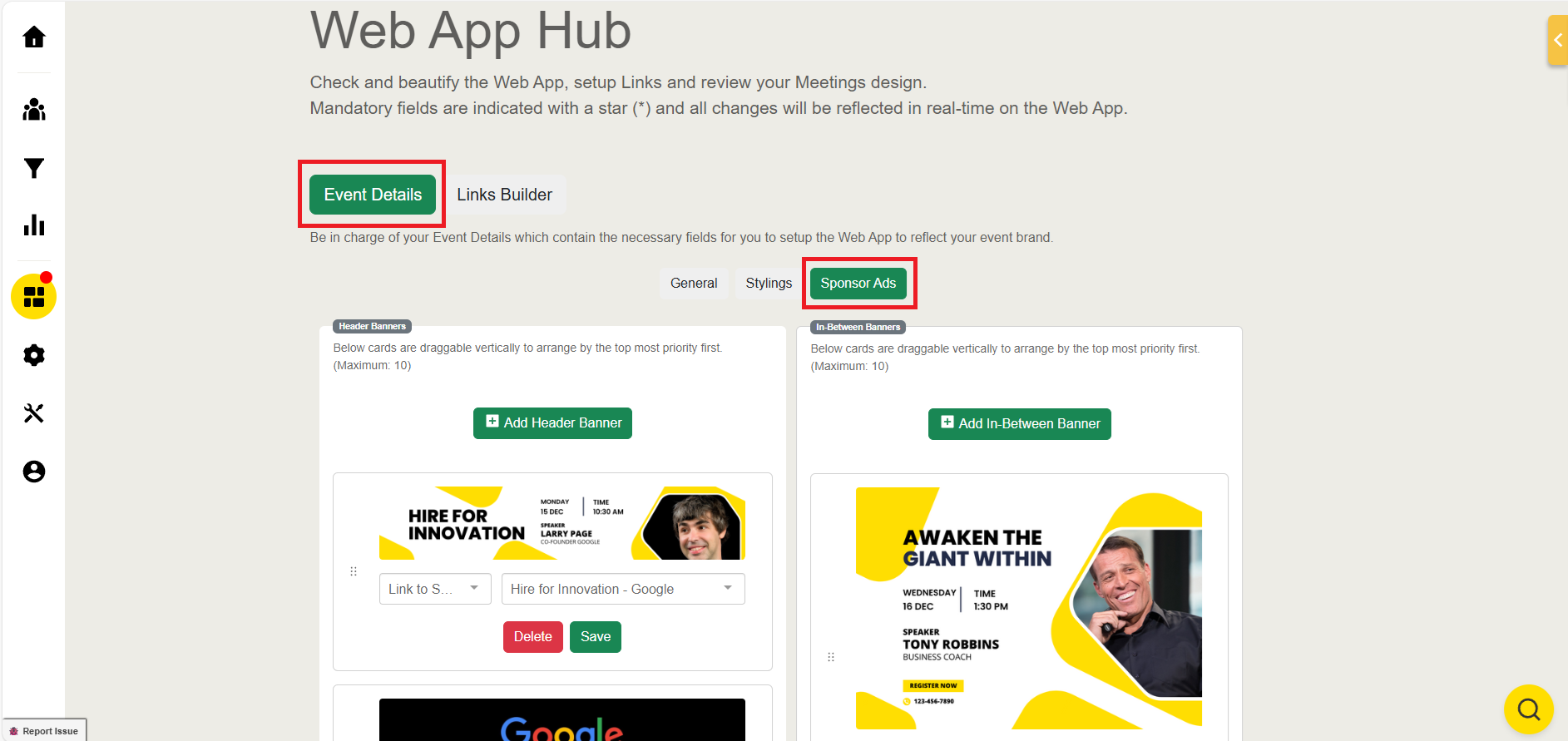
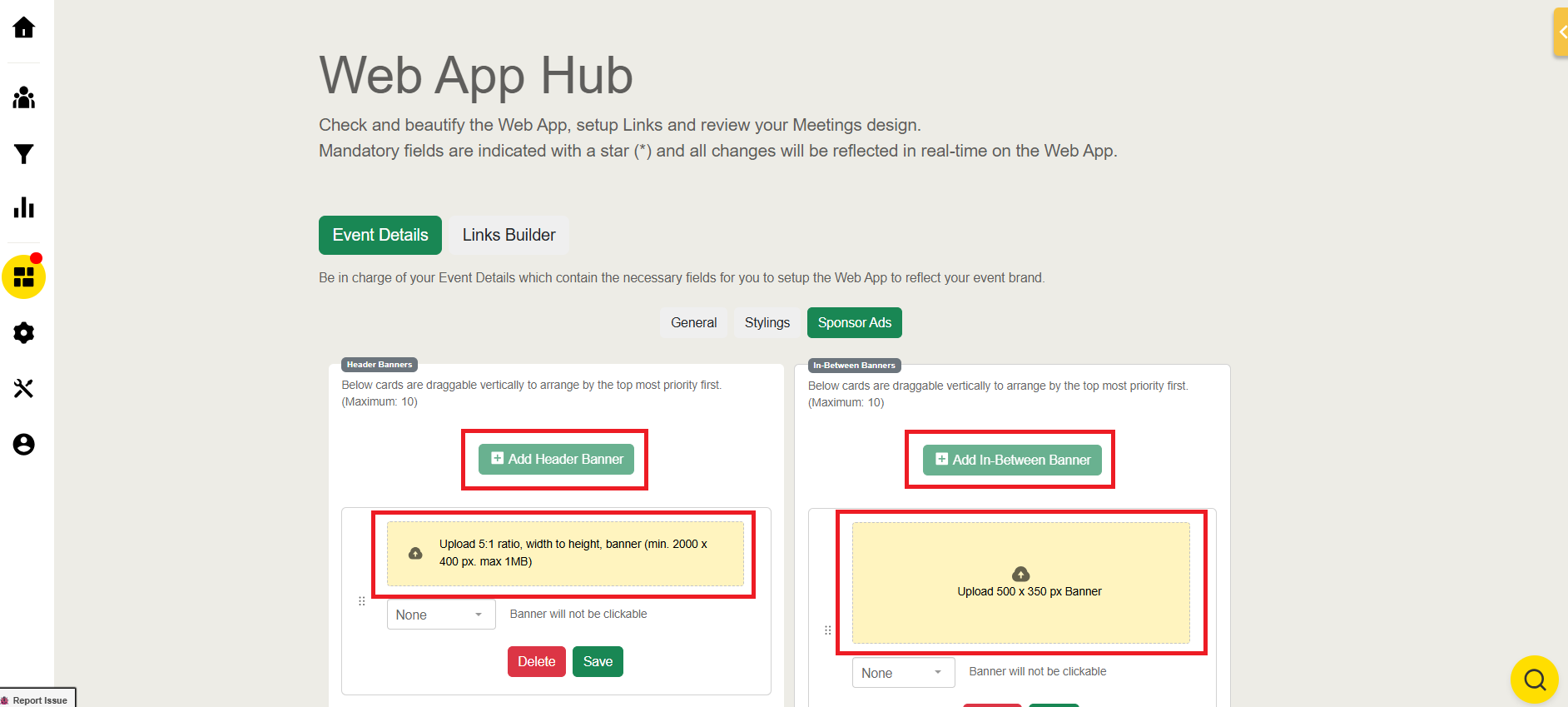
On each type of banner, click Add Banner
Upload the banner with a size of 2000px by 400px with a maximum size of 1 MB for the Header Banner and 500px by 350px for In-Between Banner.
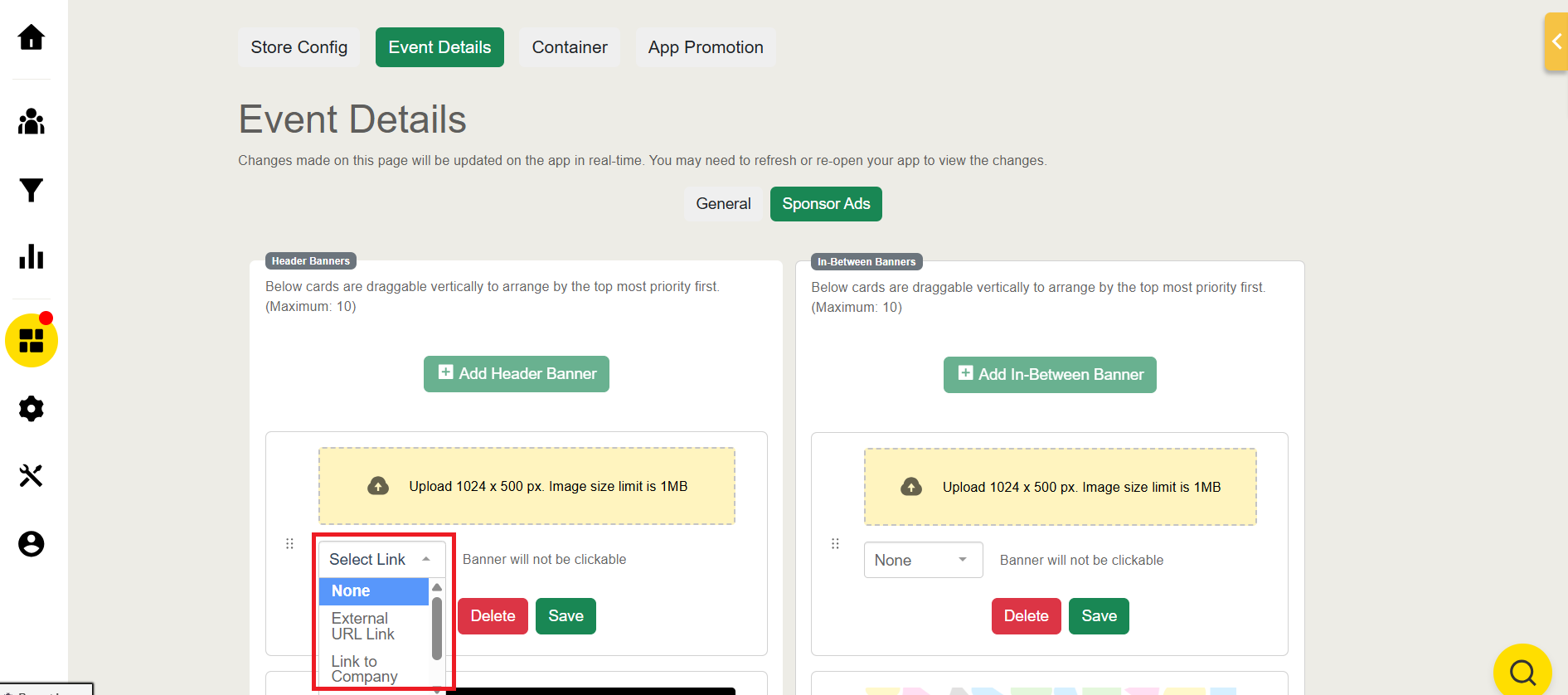
Improve your banner interactivity by adding a link to Company, Session, or external URL
Click Save to upload the banner
You can also delete previously uploaded Banner by clicking the Delete button
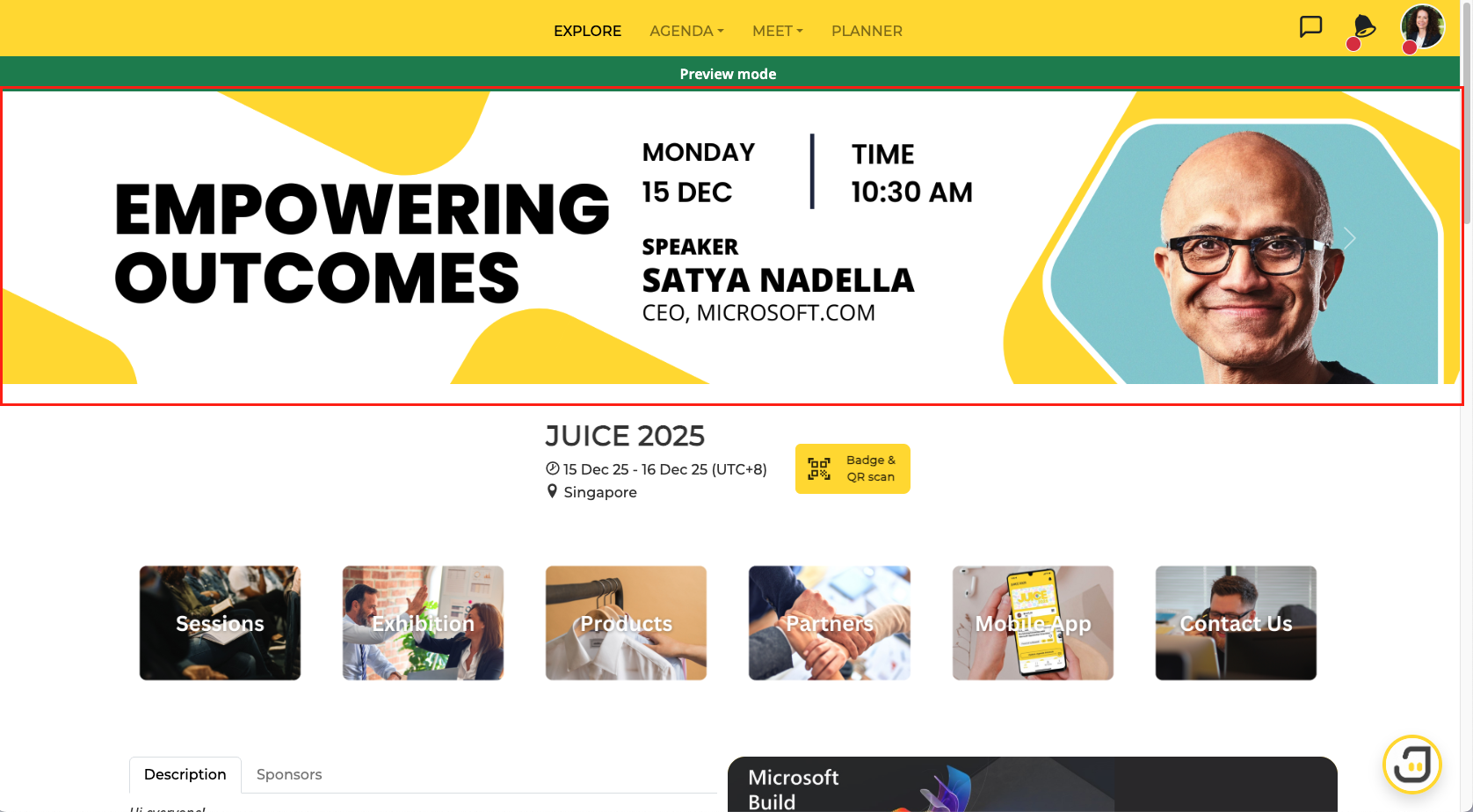
Header Banner
The header banner in the web app will appear on the Explore Page and be displayed in carousel mode.
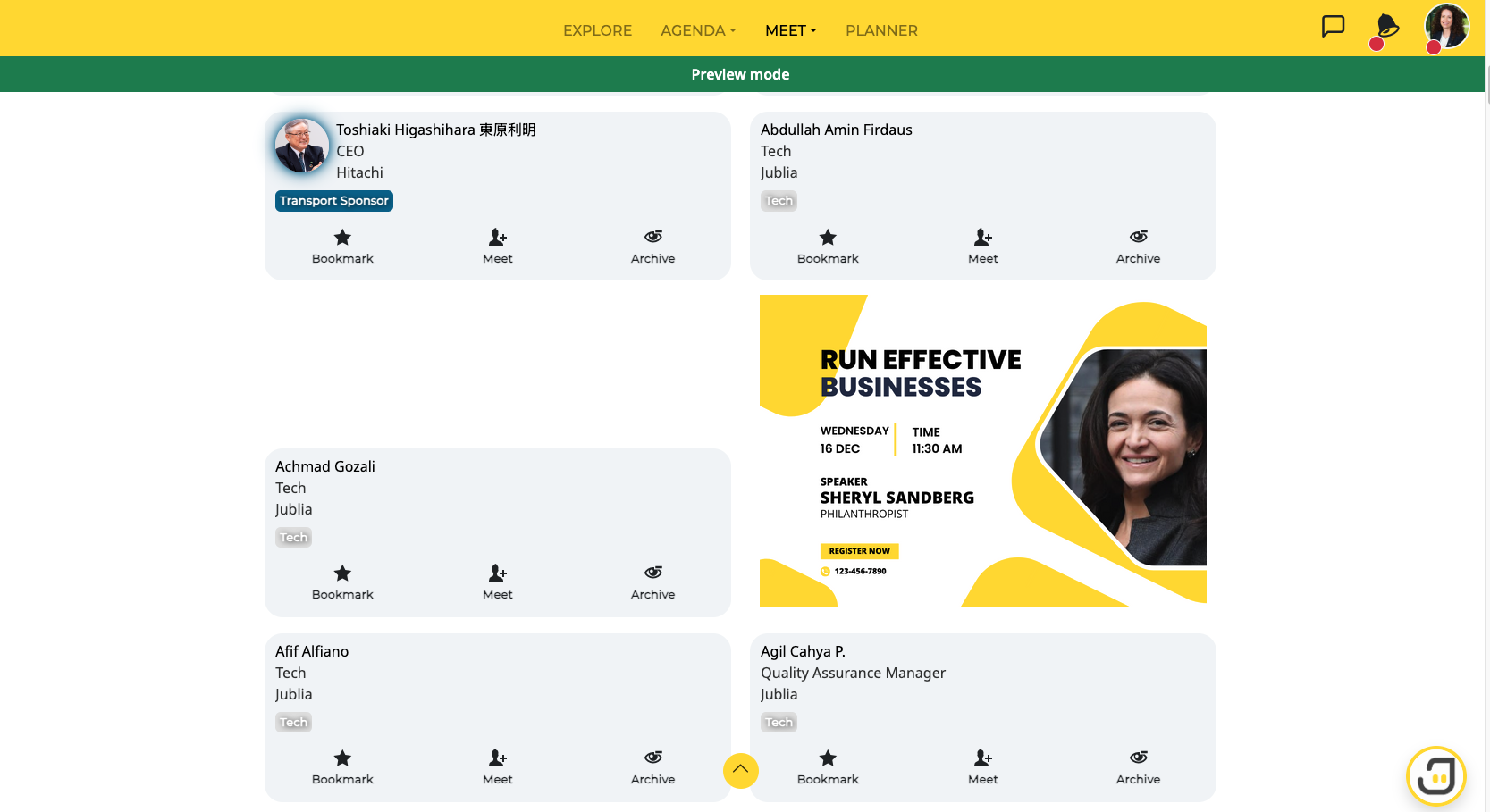
In-Between Banner
In-Between Banner will appear in between the listing of People on the Meet page
Native App
To start uploading your banners, simply follow the steps below:
Go to Manage > Native App Hub
Choose Event Details
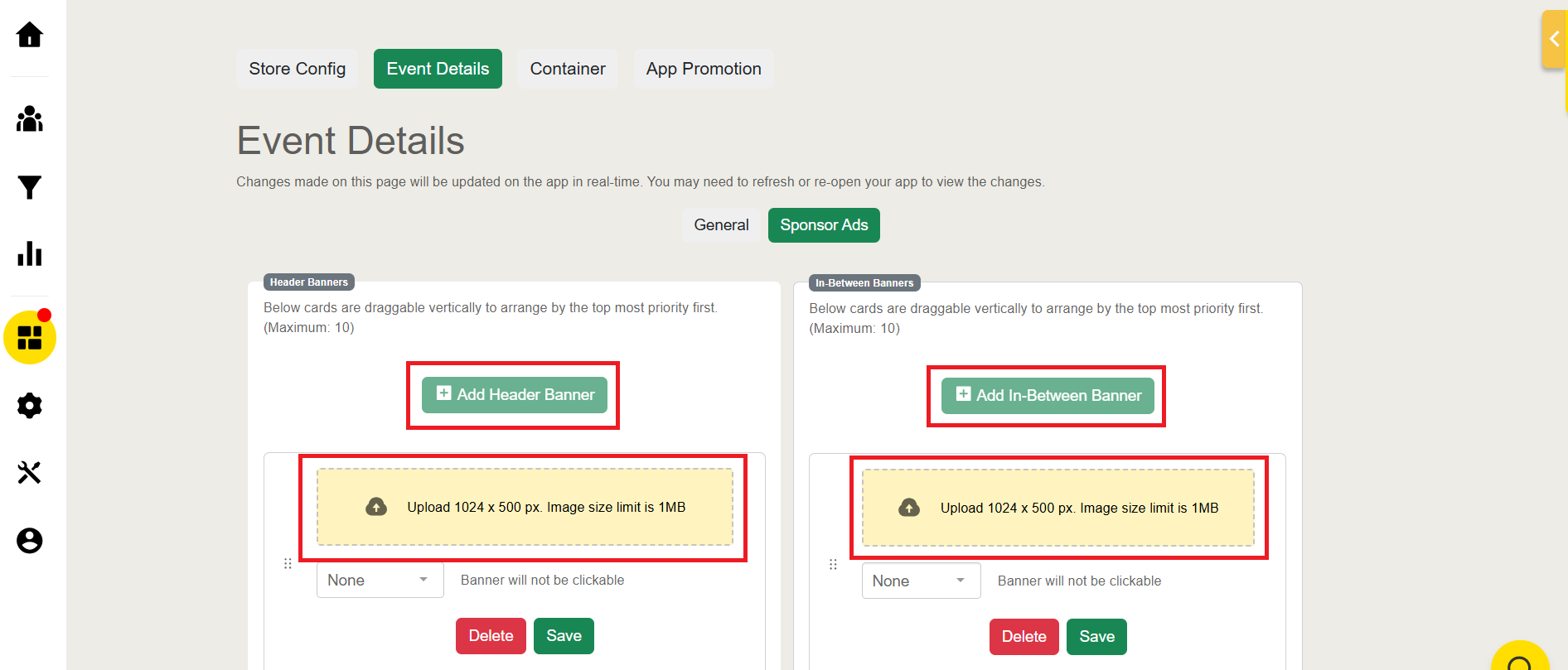
Click Sponsor Ads
On each type of banner, click Add Banner
Please upload your native app banner with a size of 1024px x 500px and an image limit of 1 MB, applicable to both Header Banner and In-Between Banner.
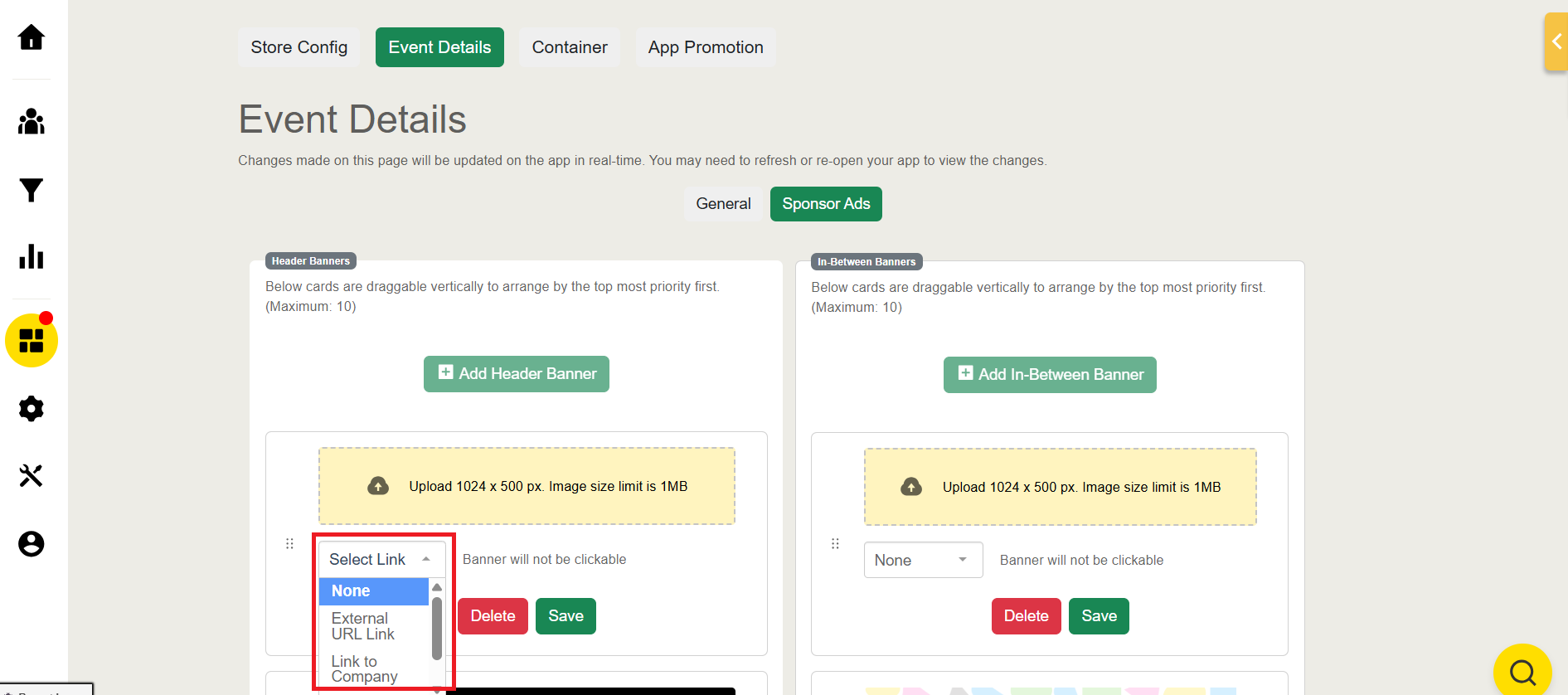
Improve your banner interactivity by adding a link to Company, Session, or external URL
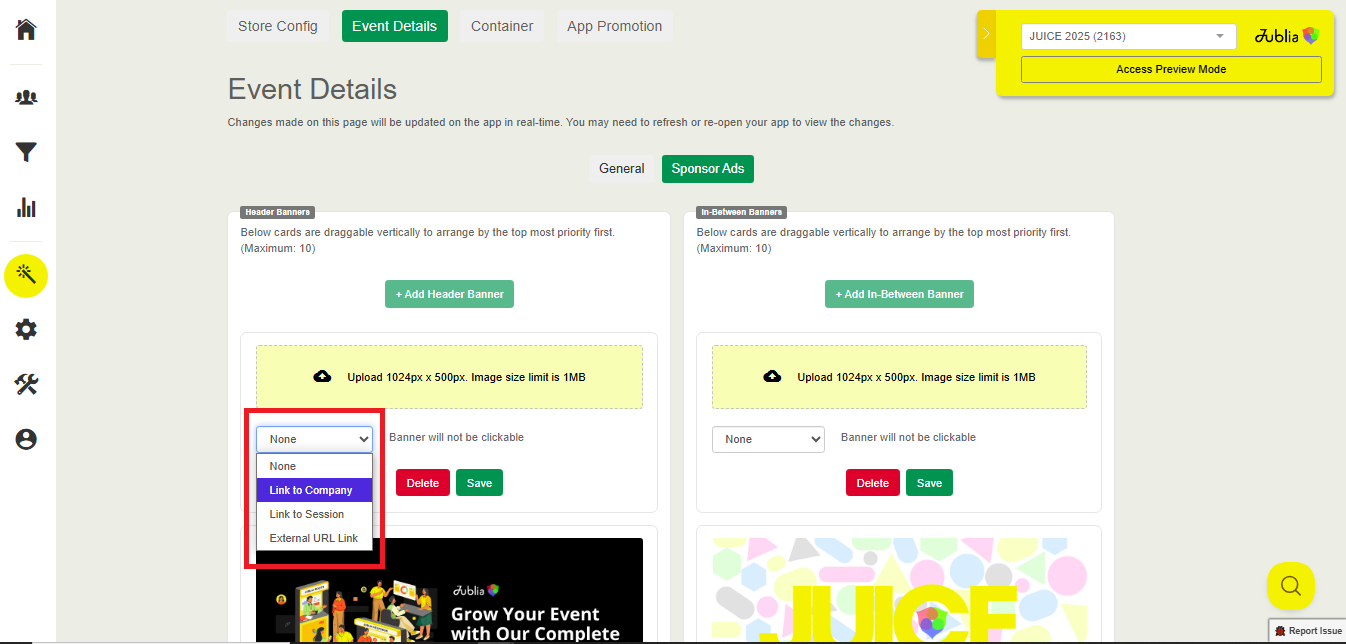
Click Save to upload the banner
You can also delete previously uploaded Banner by clicking the Delete button
Header Banner
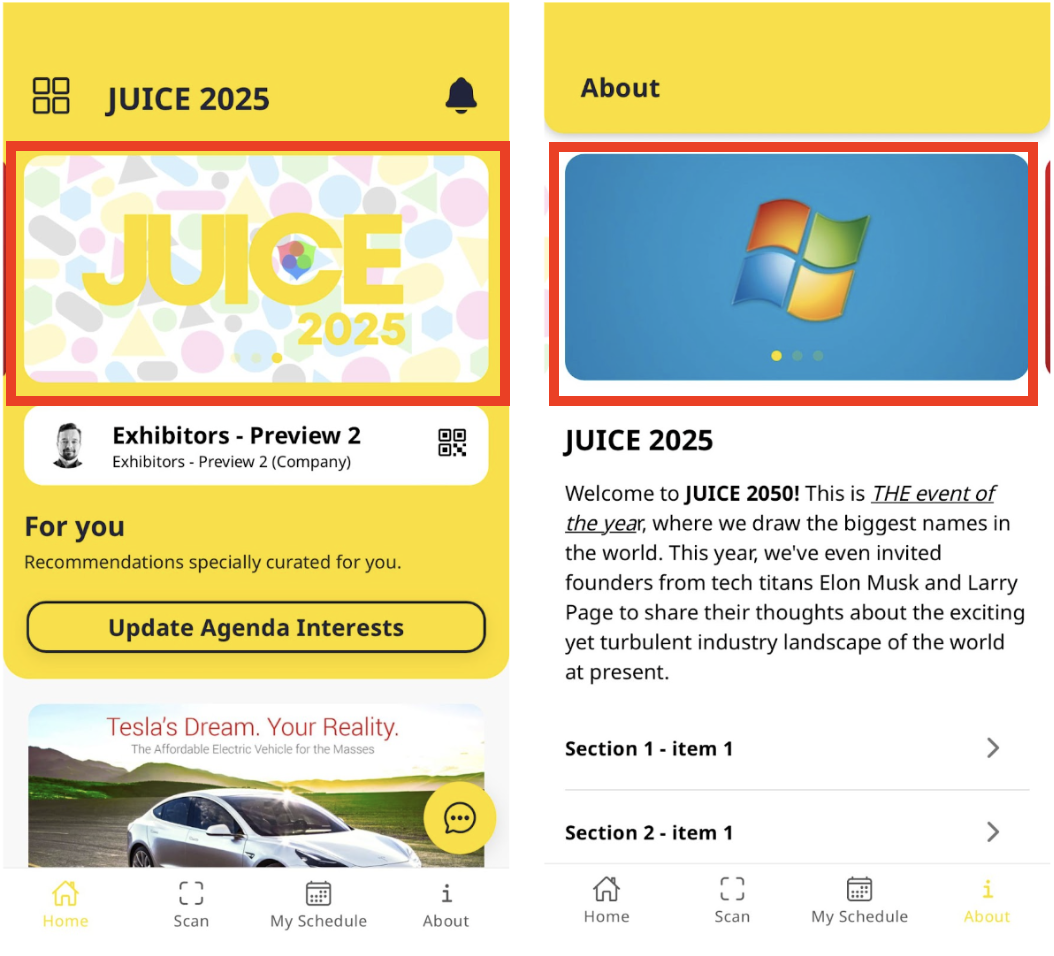
Header Banner in Native App will appear on the Home screen of the app and also on the About page displayed in carousel mode.
In-Between Banner
In-Between Banner will appear in between the listing of Agenda, Companies, and also Products