Unlocking the Power of Visuals: Design Elements
When it comes to creating an immersive and visually appealing event experience, design elements play a crucial role. At Jublia, we understand the importance of captivating designs, and to help you achieve your desired look, we have compiled a comprehensive list of dimensions for the design elements you'll need, categorized by modules: HTML Email, Web App, and Native App.
HTML Emails
Header Email Banner
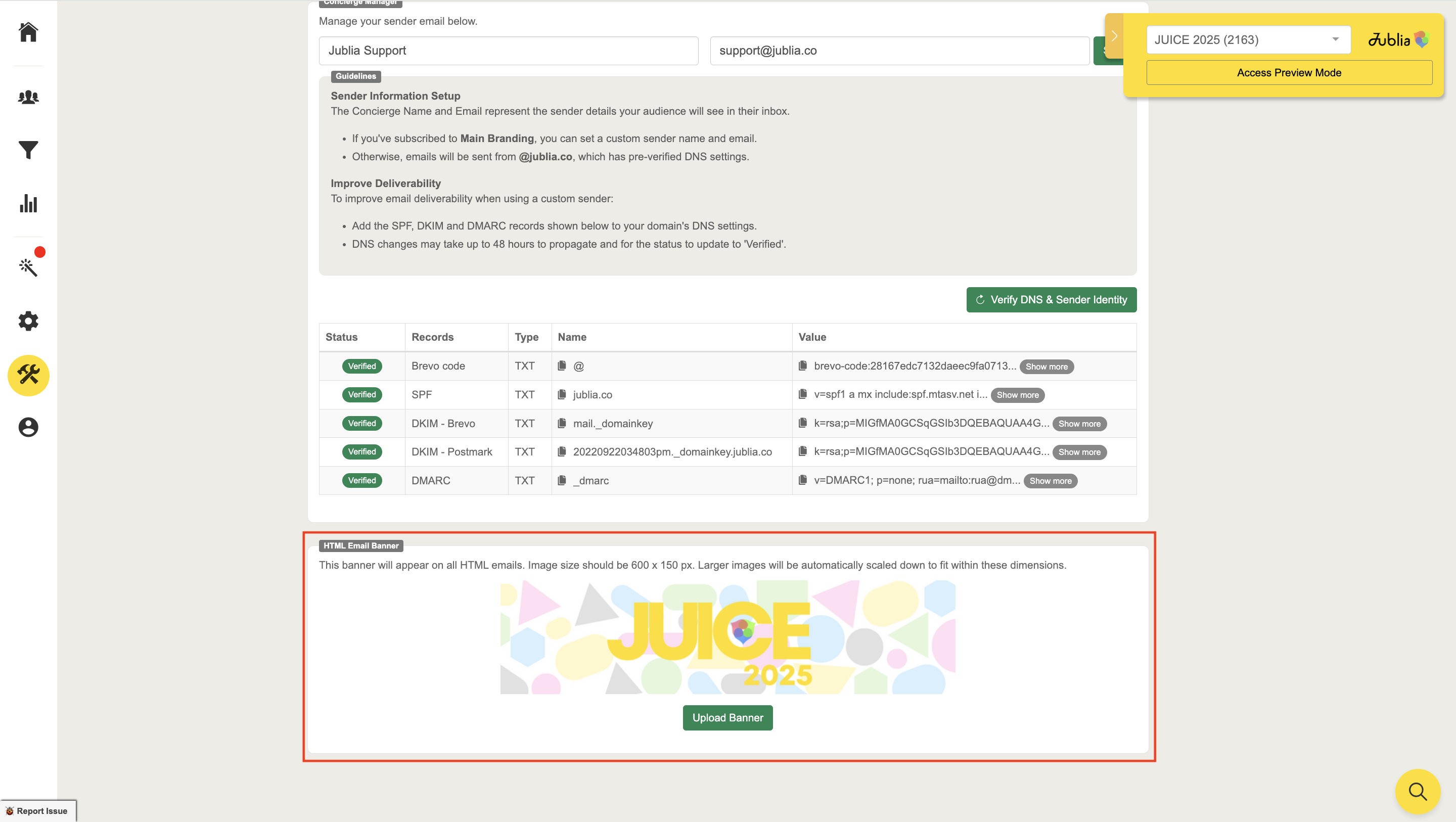
You can upload the header email banner using the following steps:
Step 1: Go to the Tools menu.
Step 2: Select Email Courier.
Step 3: In the General tab, you will find the option to upload the email header banner.
Step 4: Click on Upload Banner Template and enter the following details:
Dimensions: 600px x 150px
Formats: JPG, PNG.
Web App
1. Company Banner
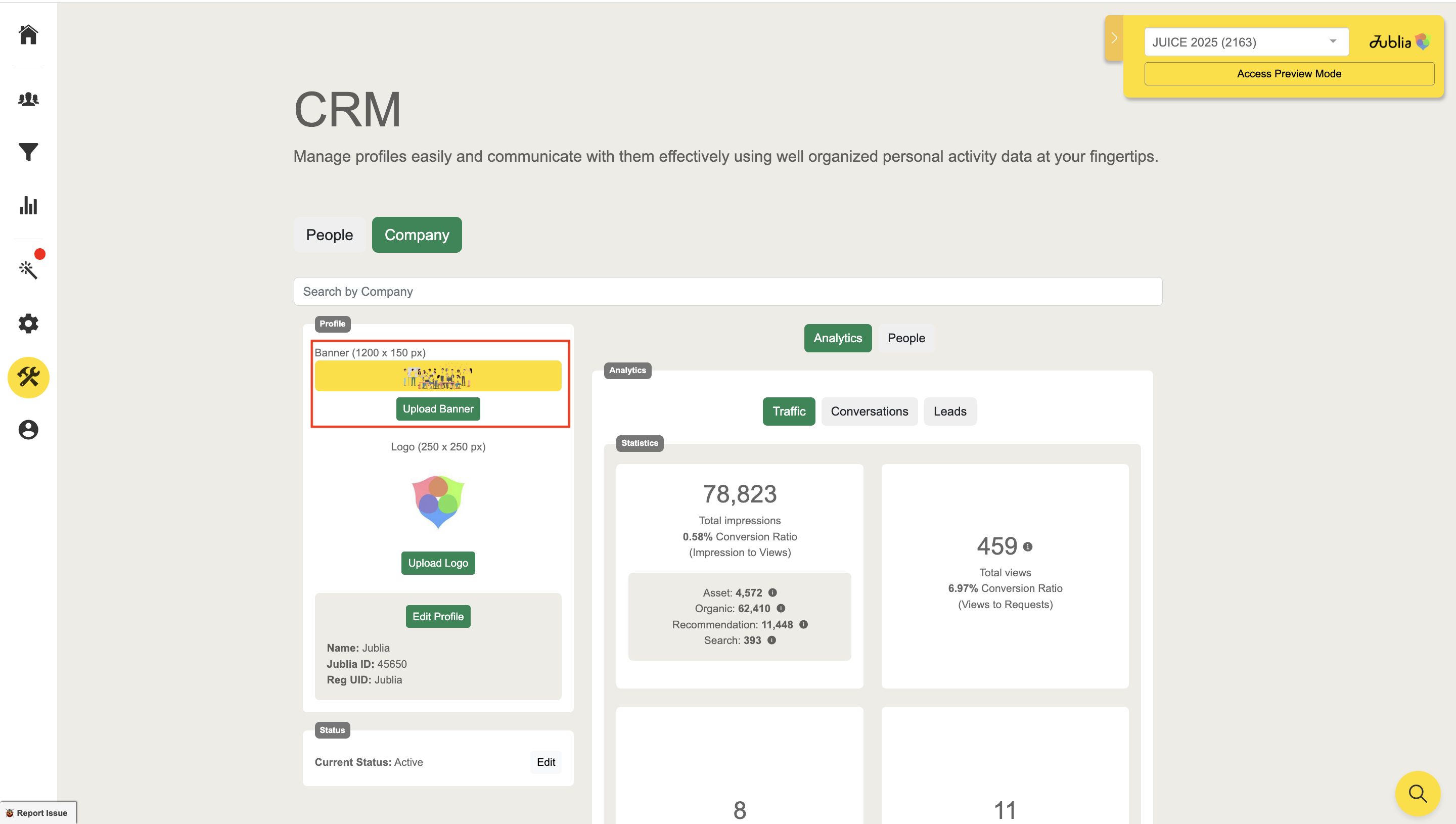
If you want to upload the company banner on your exhibitor's behalf, you can upload it by using the following steps:
Step 1: Go to Tools menu
Step 2: Select CRM, then choose Company Tab
Step 3: Find your exhibitor’s company using the search bar
Step 4: Click the upload banner button
Dimensions: 1,200px x 150px
Max File Size: 1MB
Formats: JPG, PNG
Showcase your company profile with an eye-catching banner.
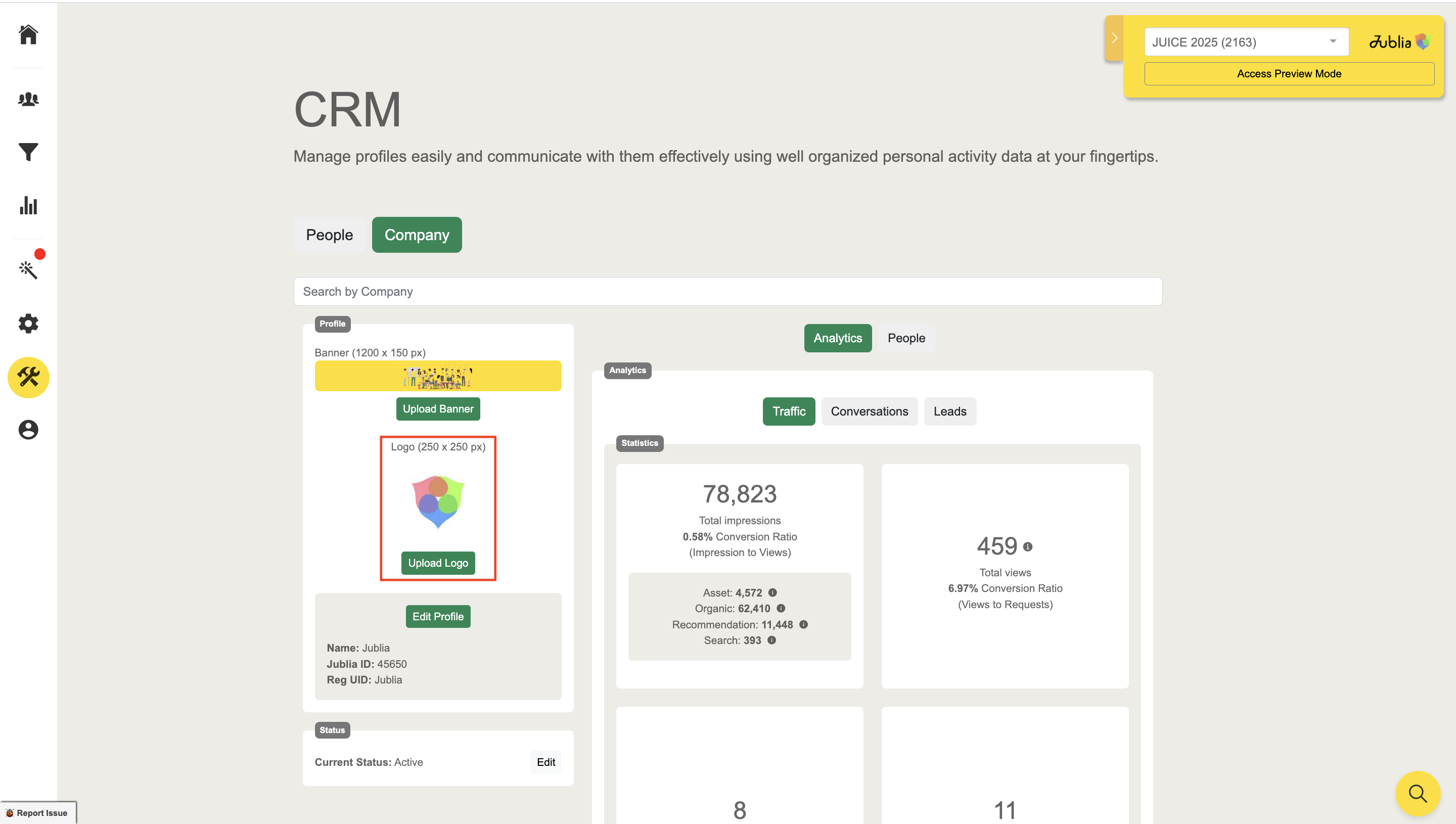
2. Default Assets: Company Logo
Dimensions: 250px x 250px
Max File Size: 1MB
Formats: JPG, PNG
Highlight your brand identity with a clear, high-quality logo.
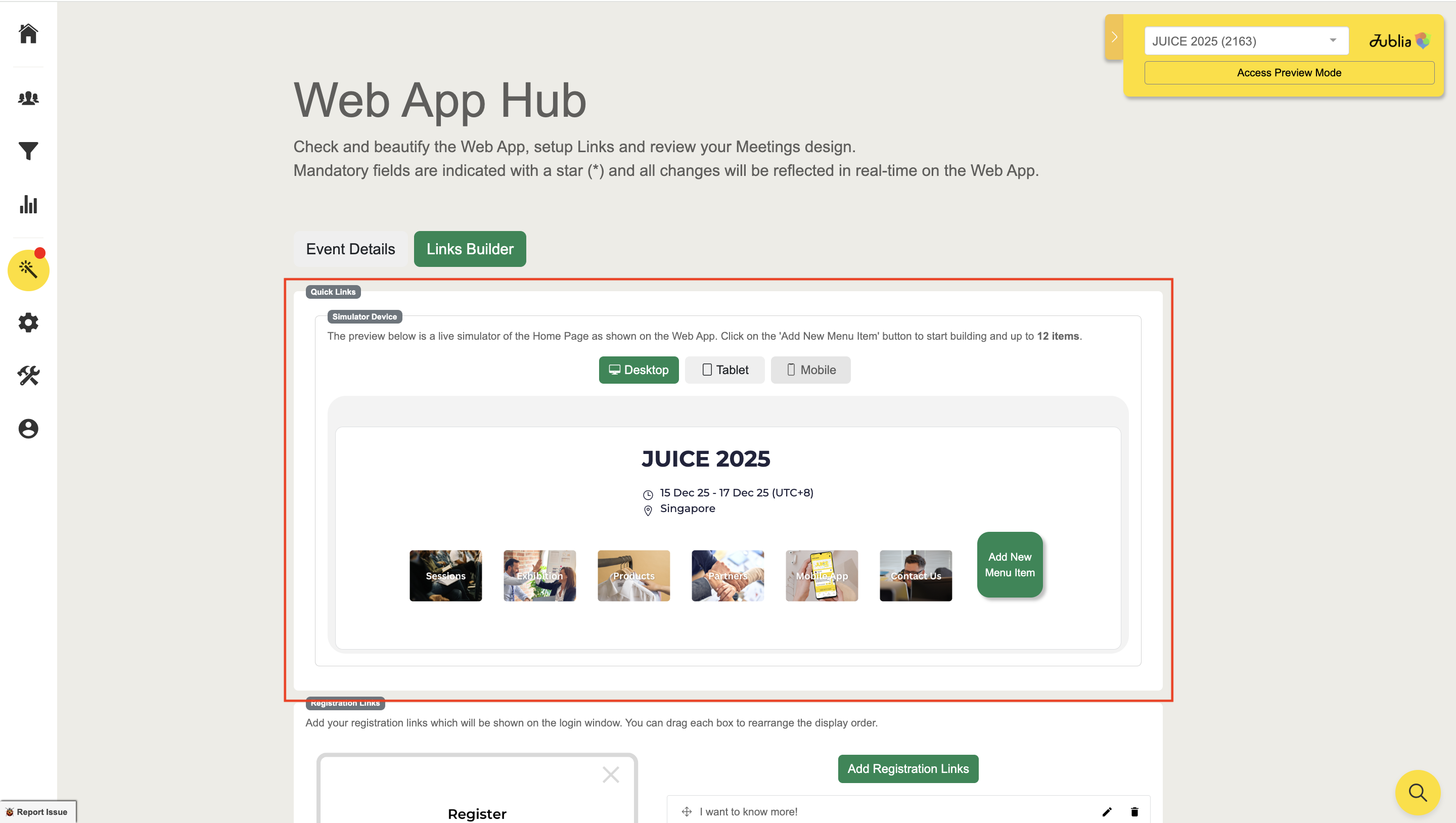
3. Quick Links
Dimensions: 250px x 250px
Max File Size: 1MB
Formats: JPG, PNG
Add up to twelves custom shortcuts in the event lobby to boost engagement.
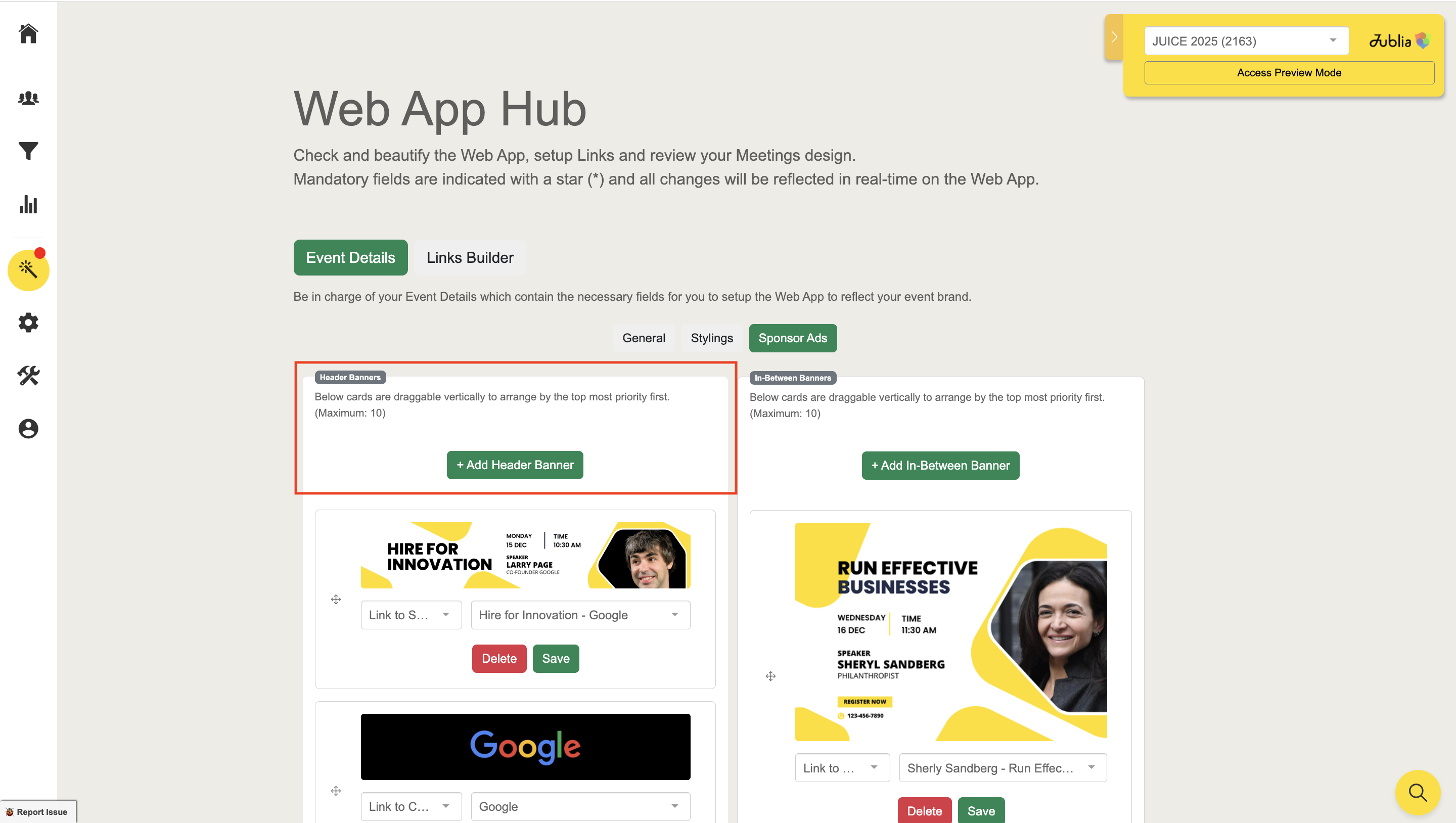
4. Header Banner Ads
Dimensions: 2,000px x 400px
Max File Size: 1MB
Formats: JPG, PNG
Create up to 10 rotating banners to enhance visibility and enrich exploratory experiences.
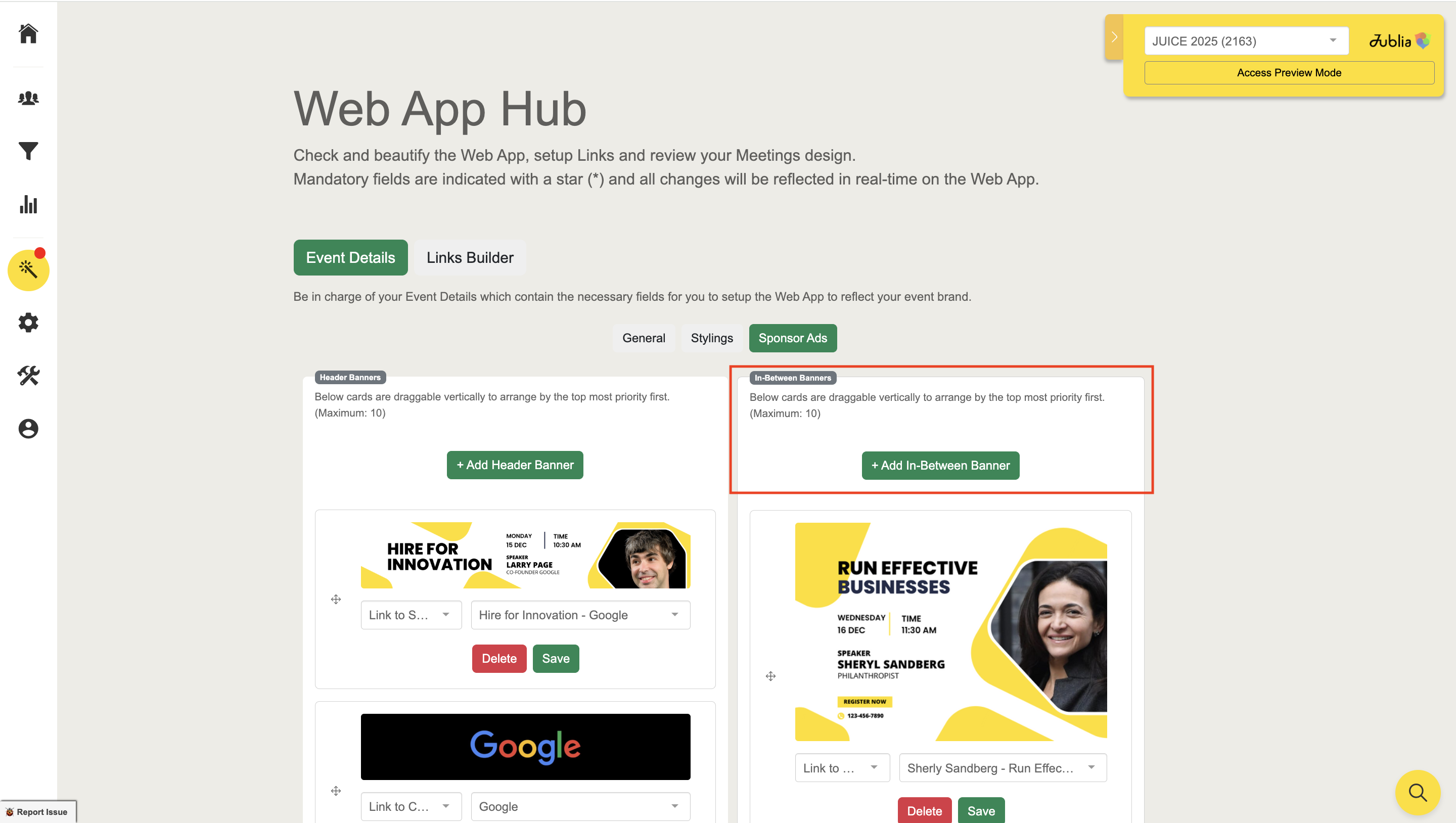
5. In-Between Banner Ads
Dimensions: 500px x 350px
Max File Size: 1MB
Formats: JPG, PNG
Place up to 10 banners within content sections for subtle yet effective promotions.
Native App
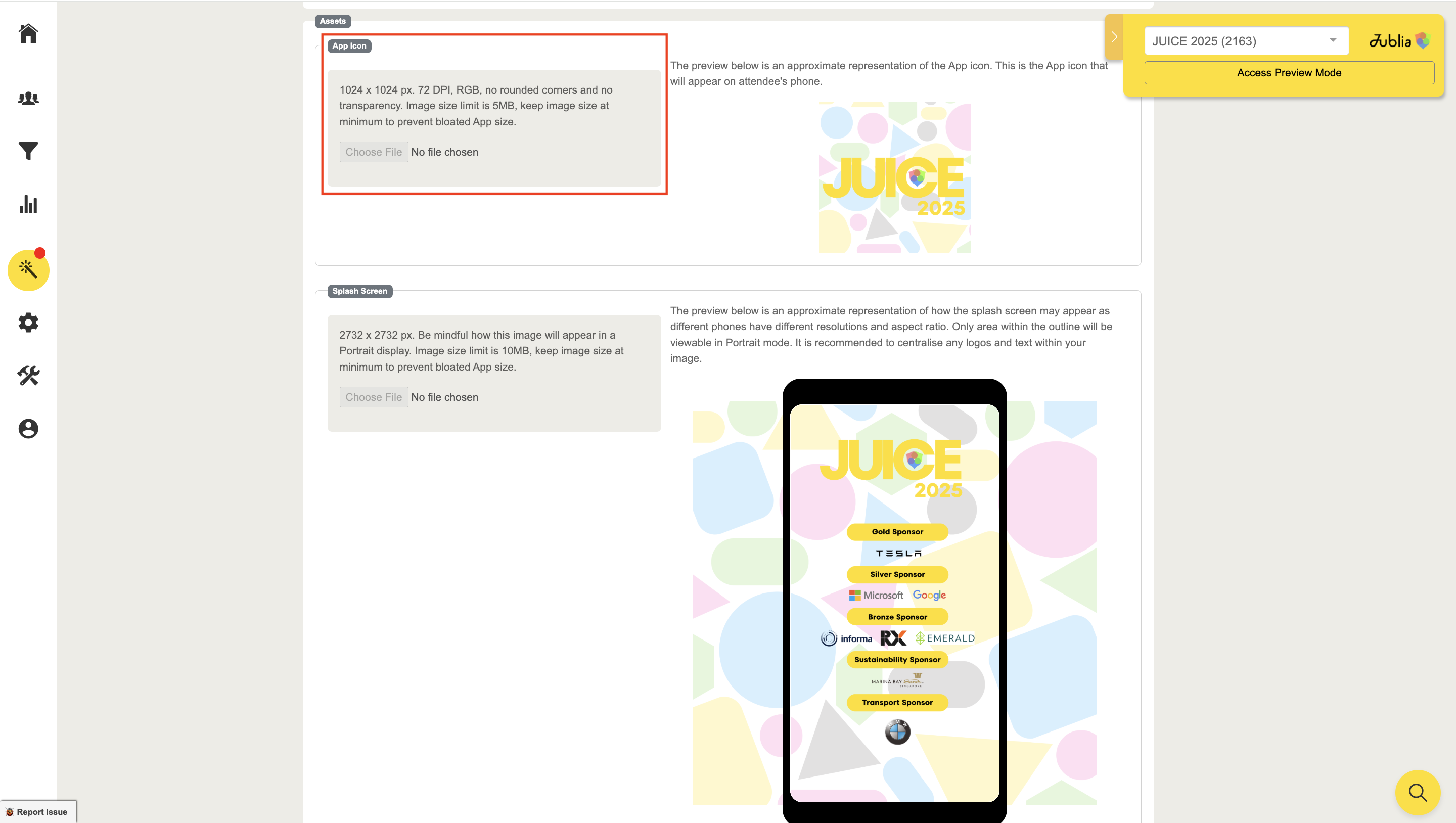
1. Mobile App Icon
Dimensions: 1,024px x 1,024px
Max File Size: 5MB
Specifications: 72 DPI, RGB, no rounded corners, no transparency
Formats: JPG, PNG
Design a standout icon to leave a lasting impression on attendees’ devices.
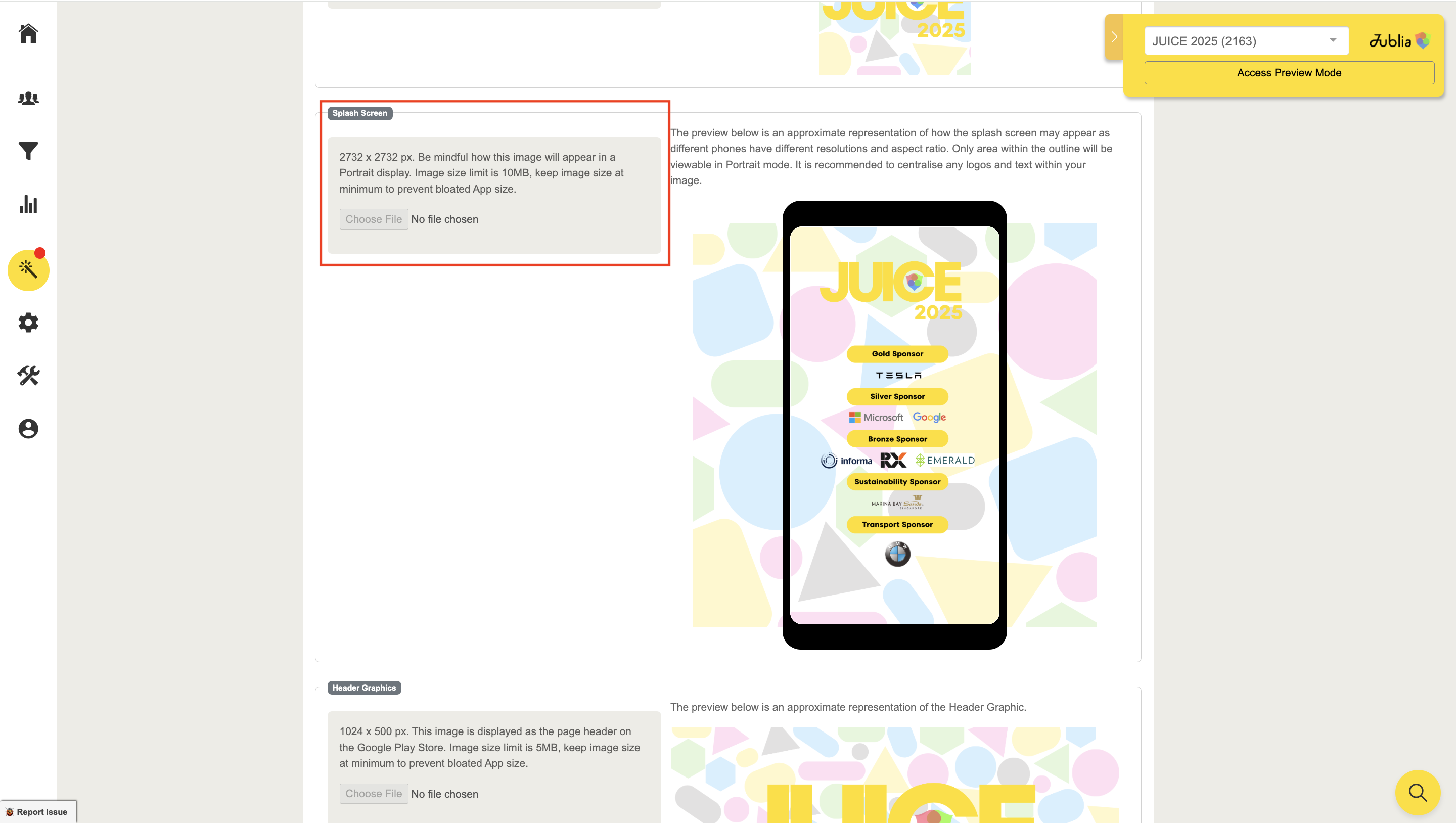
2. Splash Screen
Dimensions: 2,732px x 2,732px
Max File Size: 10MB
Formats: JPG, PNG
Welcome attendees with an immersive splash screen that reflects your event’s theme.
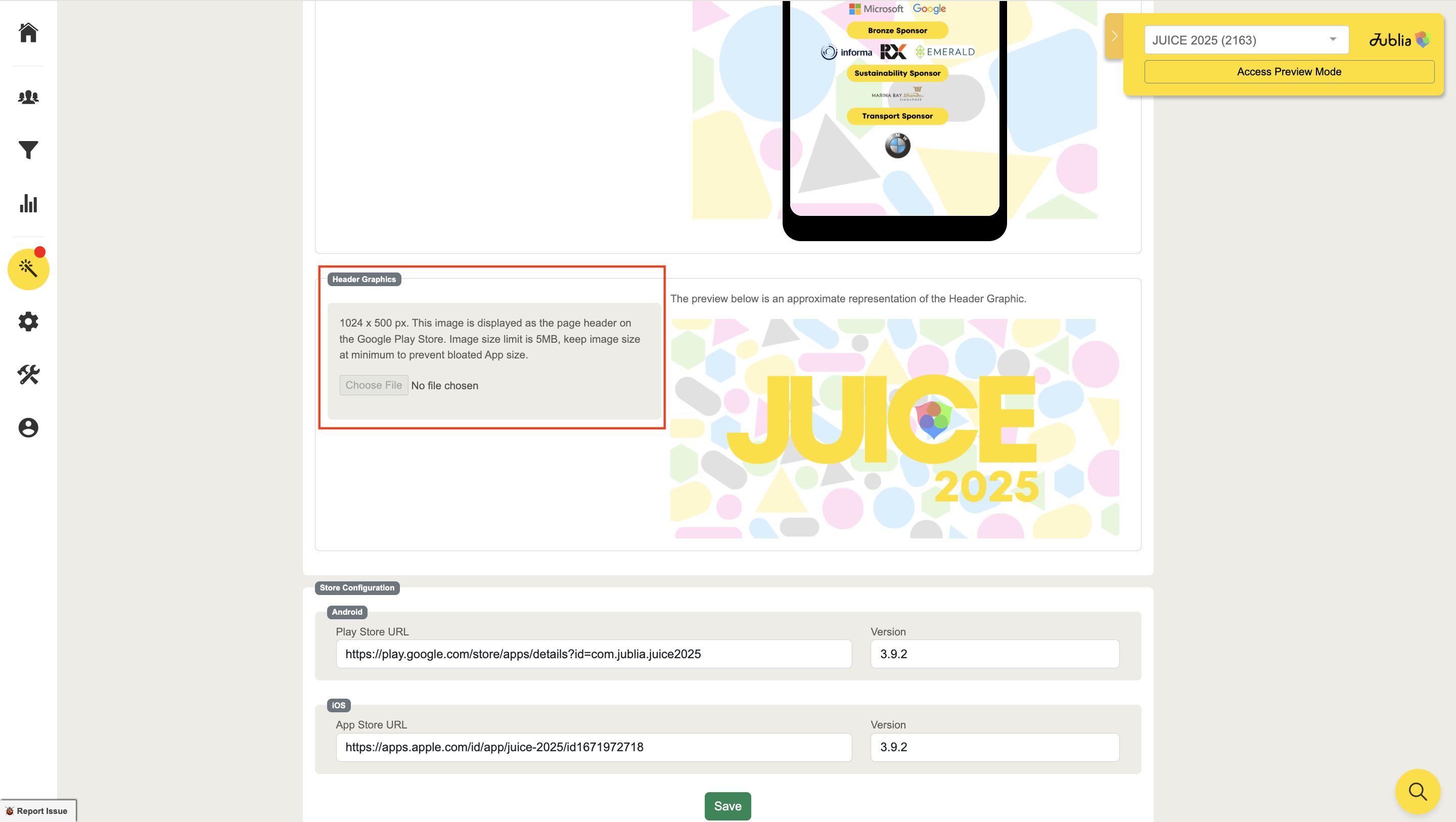
3. Mobile App Header
Dimensions: 1,024px x 500px
Max File Size: 5MB
Formats: JPG, PNG
Set the tone for your app with a visually striking header.
Banner Ads for Native App
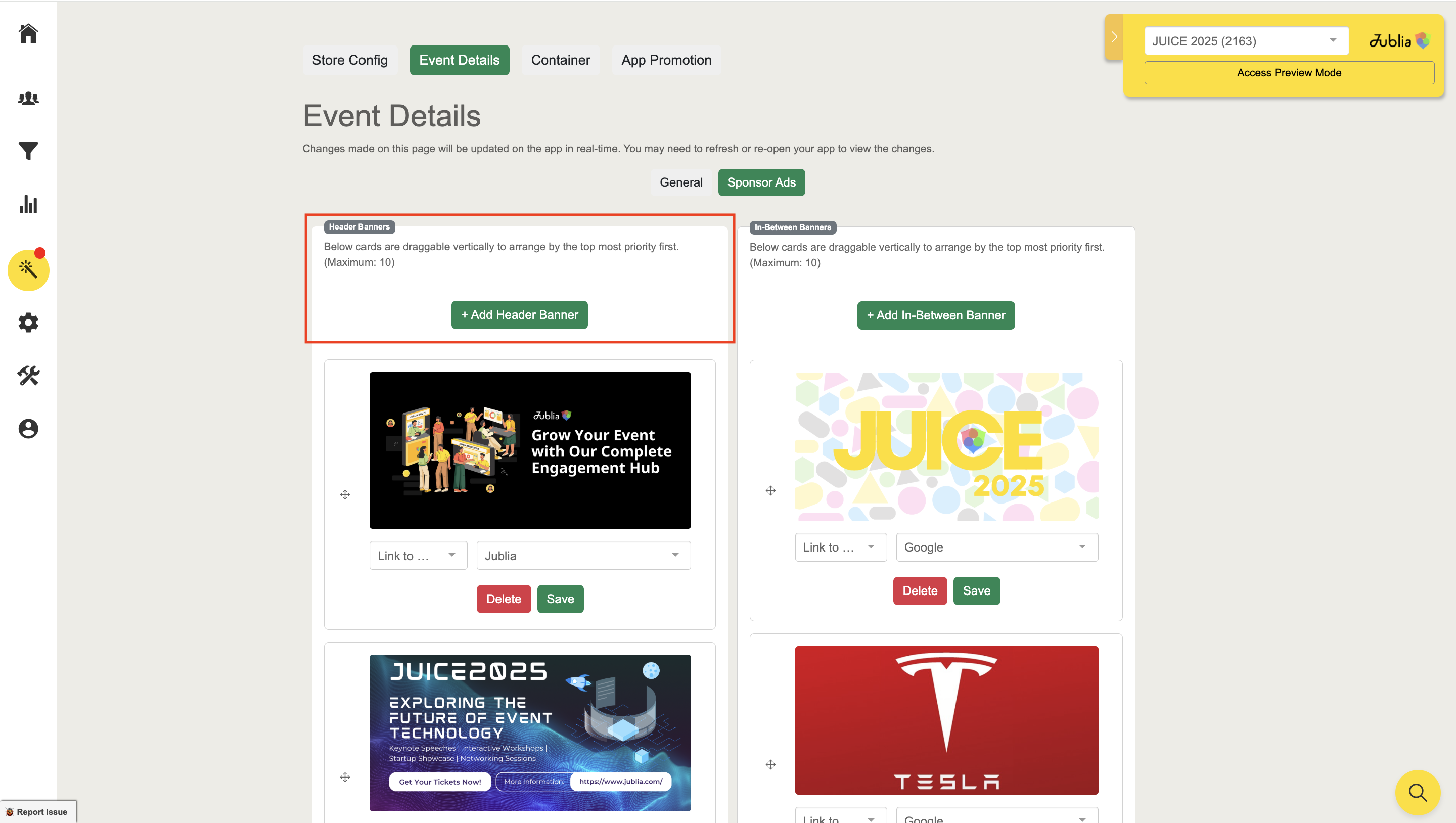
Header Banner Ads
Functionality: Add up to ten rotating banners.
Purpose: Enhance visibility for agendas, companies, and sponsors.
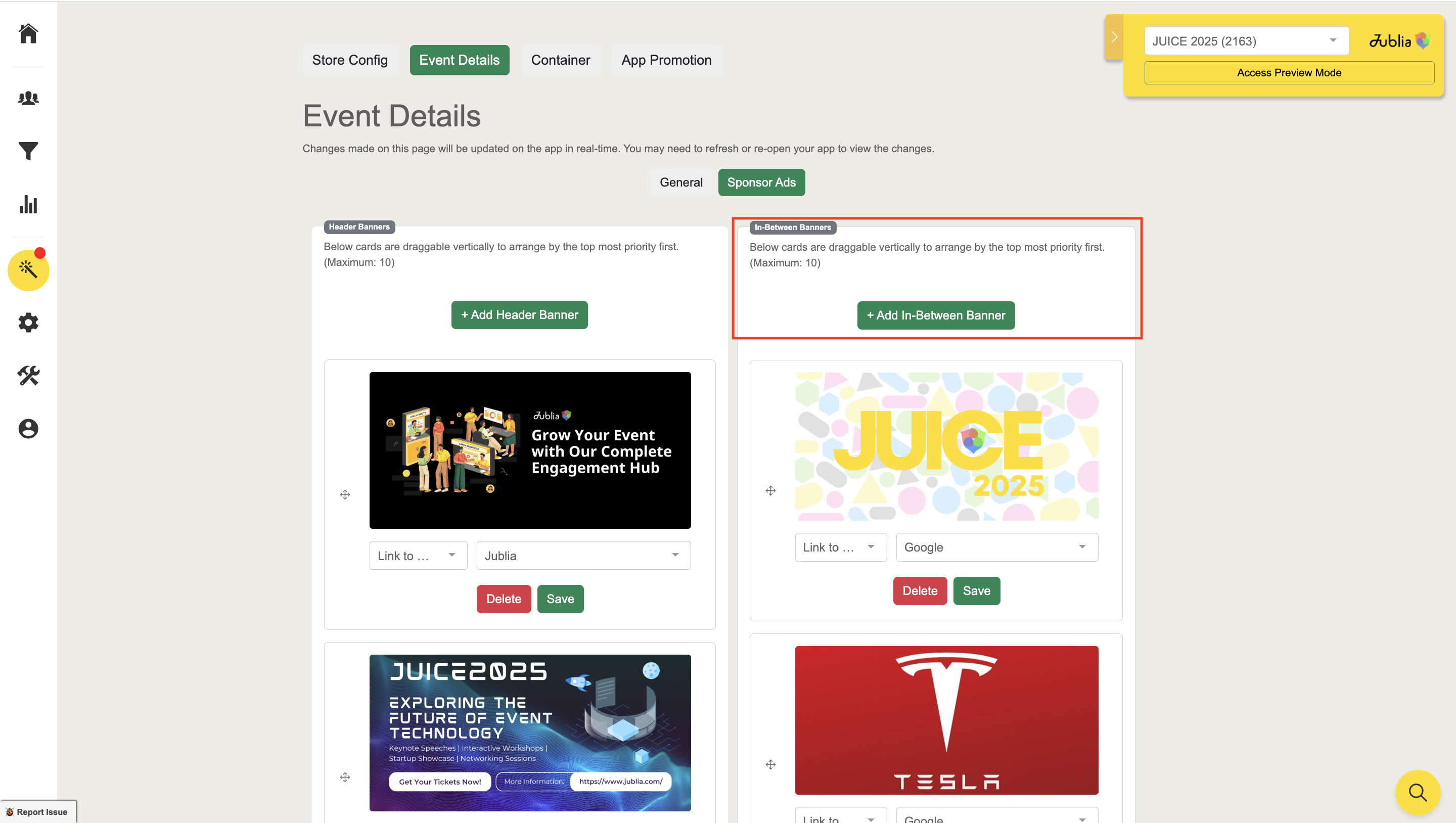
In-Between Banner Ads
Functionality: Add up to ten banners in user lists (e.g., Meet, Products, Companies).
Purpose: Keep audiences engaged with strategically placed ads.
Tips for Seamless Visualization
Preview Designs: Use the app's preview feature to ensure alignment with the user interface.
Real-Time Edits: Refine visuals using real-time editing to achieve exact specifications.