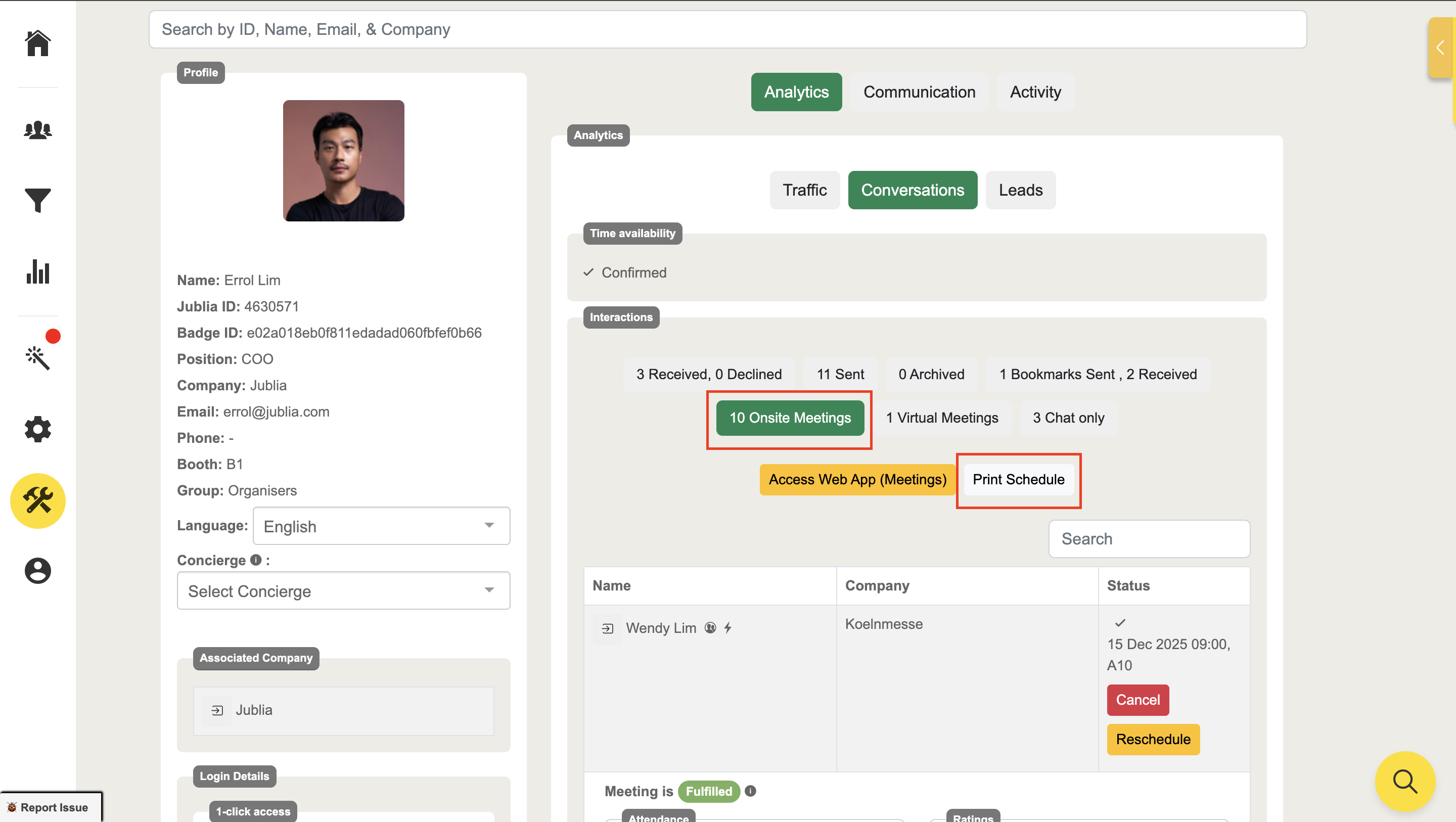
CRM: Manage Attendee Meetings
Manage & Print Meeting Schedules
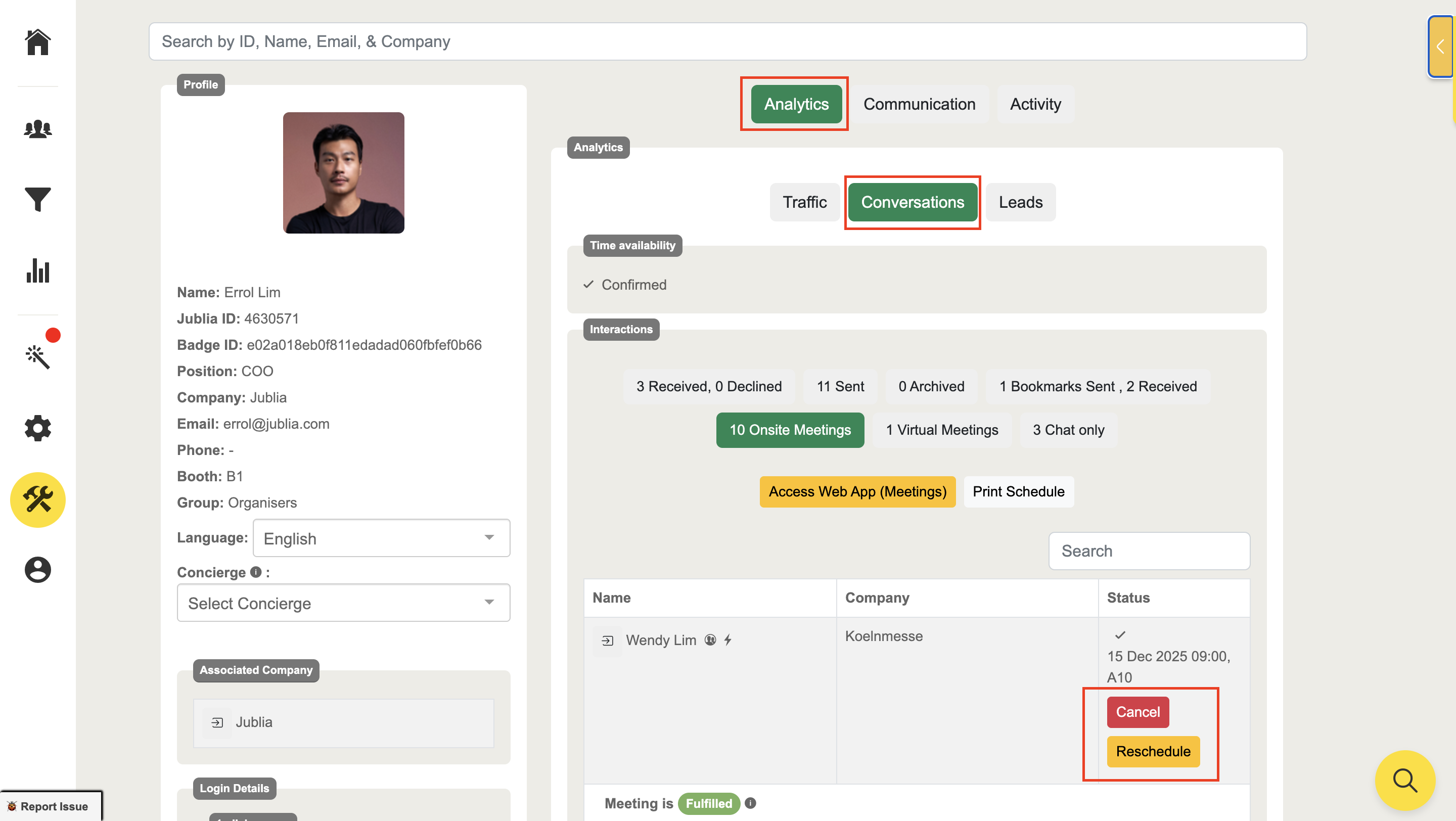
Step 1: Meetings detail of the account can be found in Analytics > Conversation
Using this tool, you can search by name, email, or company of the attendee onsite, and for the attendees’ profile.
Click whether Onsite or Virtual, depending on your event format, to view all the meetings made.
Manage the meetings via the Reschedule/Cancel button
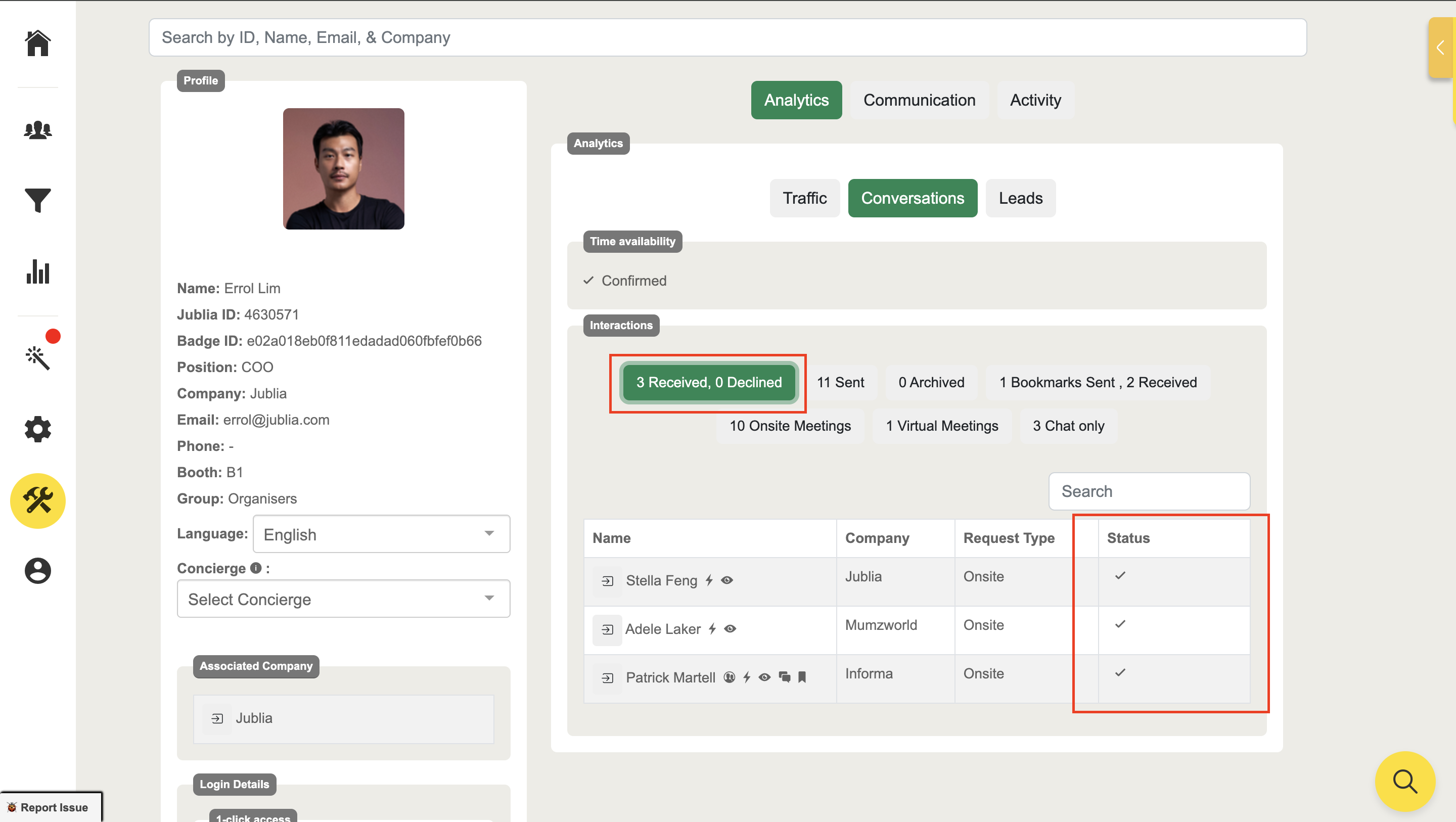
Check the Request received with the Status of that request:
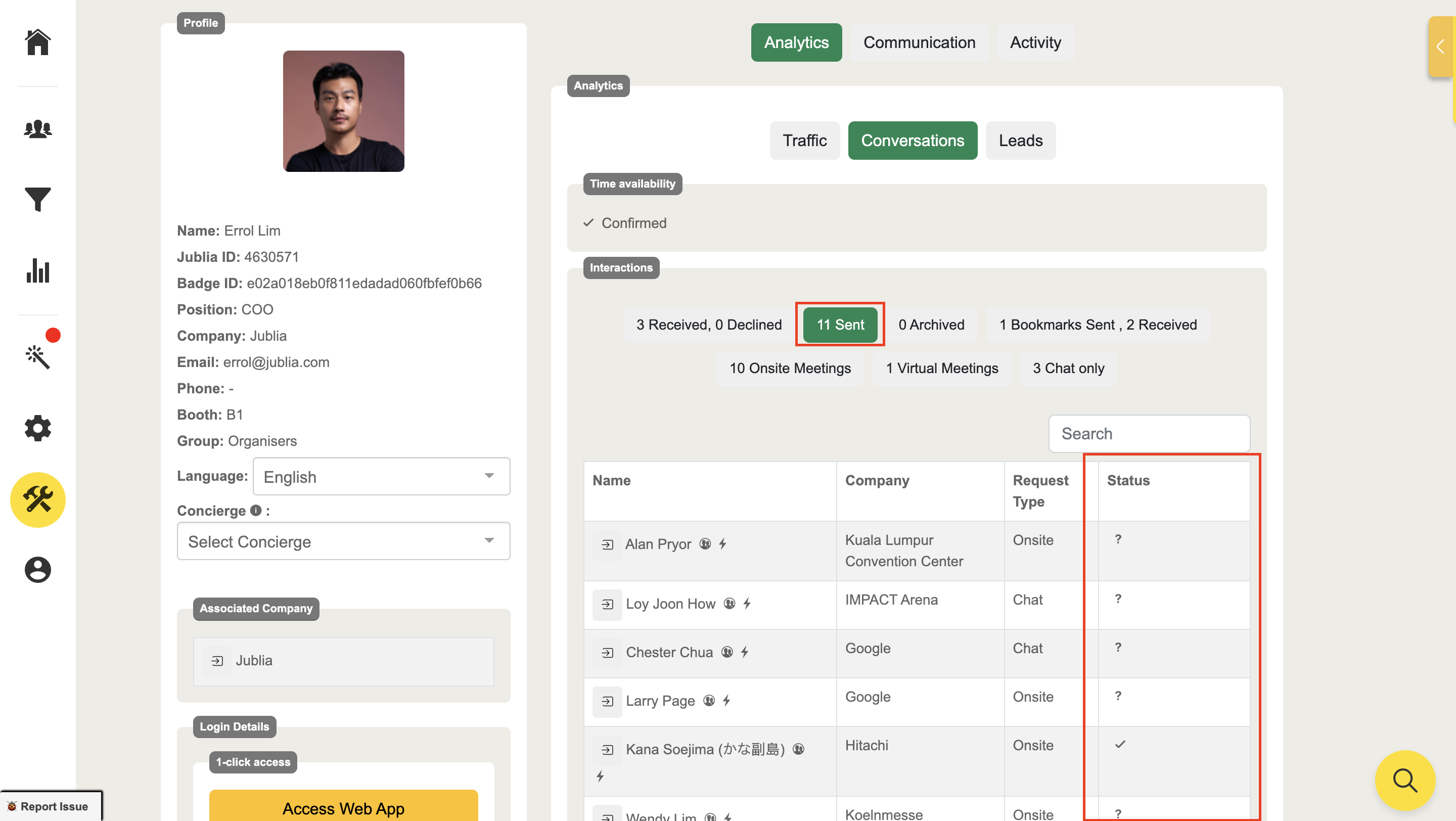
Check the Meeting Request sent by that user:
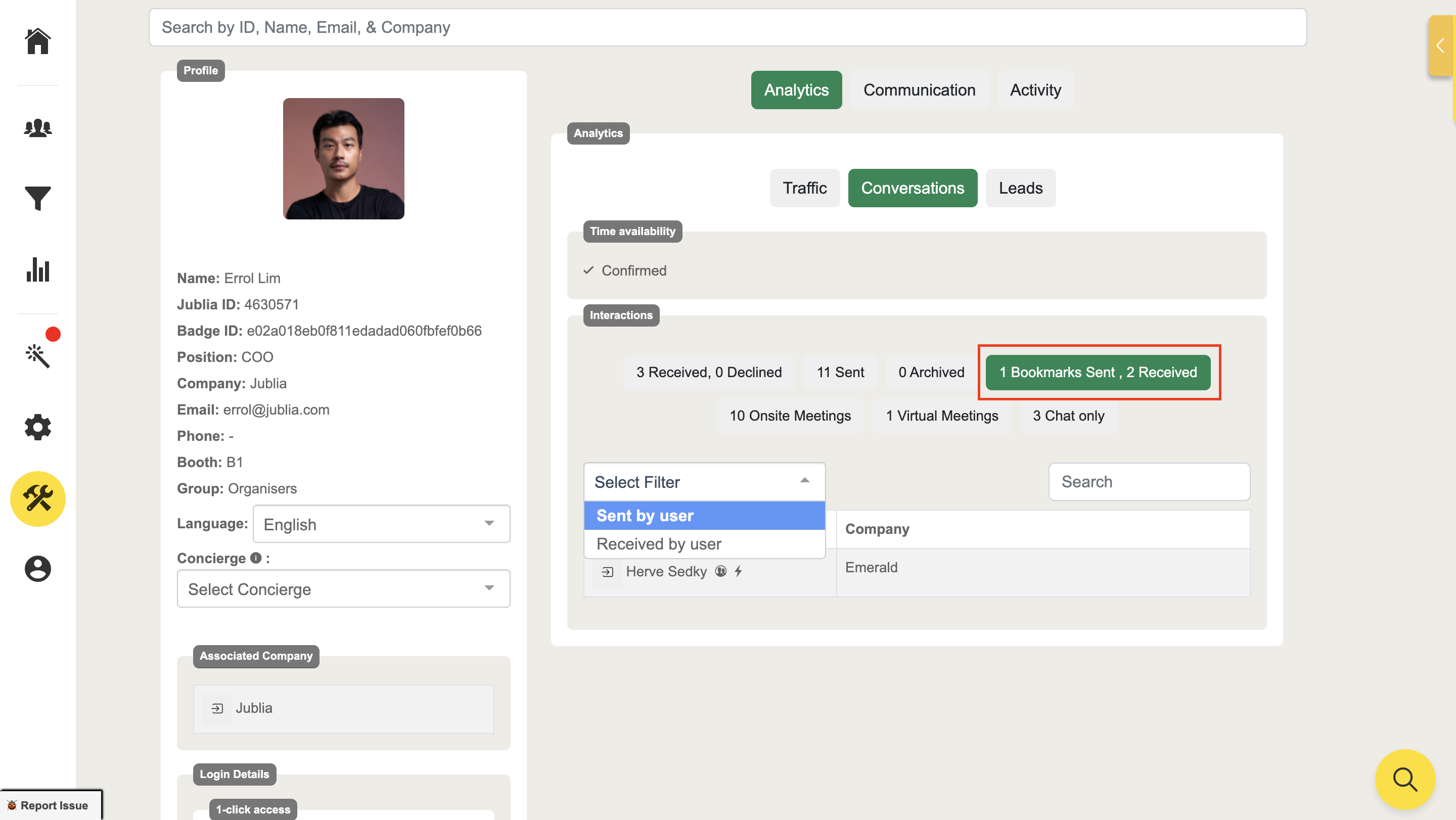
Check user bookmarks:
Step 2: Print User's Schedules:
In order to print your attendee's schedule, please follow below:
Go to Tool's and CRM
In the CRM, please find the attendee by entering the name
Click on Conversation > the Virtual / Onsite to show all the scheduled meetings and then click Print Schedule